Building a Windows Terminal Emulator
March 03, 2026 · Part 0 of WinTer
Writing a terminal emulator and text buffer from scratch in C
View on GitLab (pull requests welcome)
How Does a Terminal Actually Work?
When you open a terminal and type a command, what is actually happening behind the scenes?
- How do you host a shell like
cmd.exeorpowershell.exeinside your own application? - How do you capture the output of those programs before it hits the screen?
- What format is text saved in memory so it can be scrolled and resized?
- How does the terminal know to print text in red, or move the cursor up two lines?
- How are emojis and wide characters (like CJK) handled in a fixed-width grid?
- How do you avoid flickering when redrawing the window 60 times a second?
In short, how does a modern Windows terminal work?
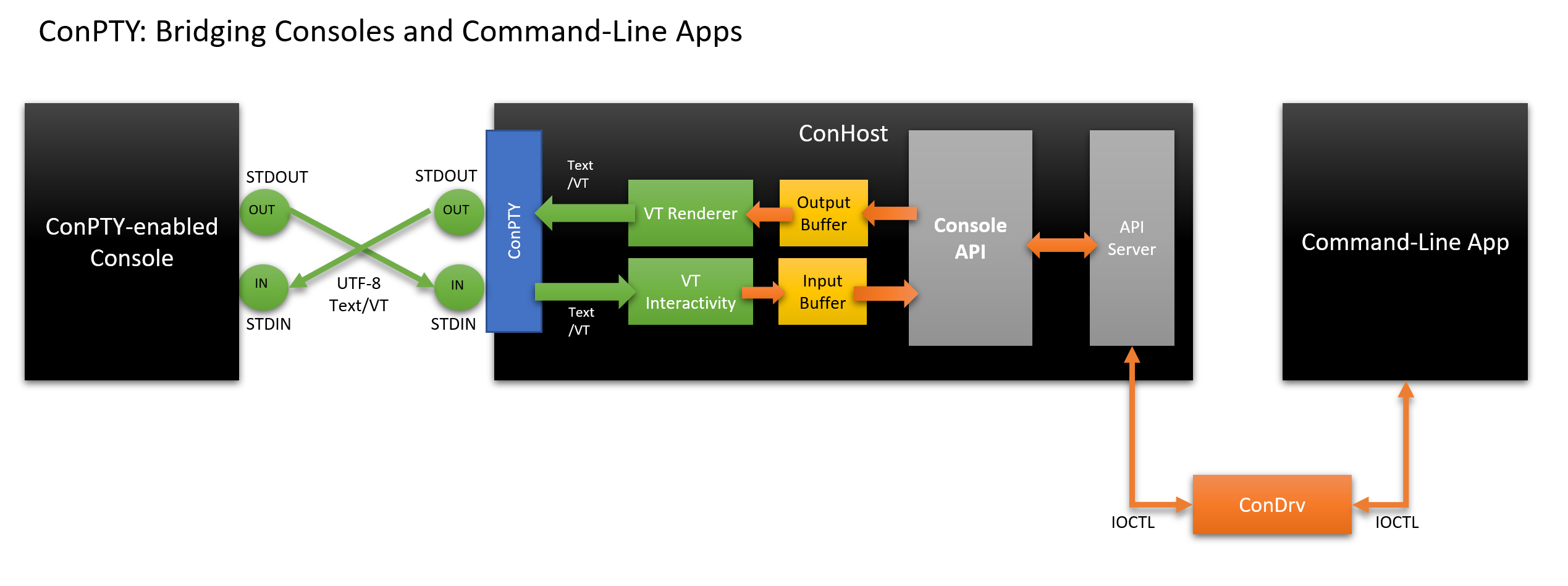
I’m building a clone of a Windows terminal emulator from scratch in C in order to understand, and I’m going to document my process as I go. We will use the modern Windows Pseudo Console (ConPTY) API to talk to the OS, and build a custom text buffer to store and parse the data.
Table of Contents
Chapter 1: The Terminal Application (OS Integration)
Chapter 2: The Terminal Text Buffer (State & Parsing)
“What I cannot create, I do not understand.” – Richard Feynman
This project is maintained by Alfred-Jijo
Hosted on GitHub Pages
Hosted on GitHub Pages